

Managing your finances as a sole trader or landlord in the UK presents constant challenges, especially with Making Tax Digital regulations requiring precise quarterly submissions to HMRC. Without proper account reconciliation, you risk costly errors, compliance penalties, and unnecessary stress during tax season. This guide walks you through the complete reconciliation process, from gathering essential documents to selecting MTD-compatible software that automates bank feeds and simplifies your quarterly reporting obligations. You'll learn step-by-step methods, discover practical tools, and understand how regular reconciliation protects you from HMRC scrutiny whilst keeping your financial records accurate and audit-ready.
Table of Contents
- What you need to prepare for effective account reconciliation
- How to perform account reconciliation step-by-step
- Common challenges and how to troubleshoot them in account reconciliation
- Choosing the right account reconciliation tools and software for UK sole traders and landlords
- Find the right MTD software to simplify your reconciliation
- Frequently asked questions
Key takeaways
| Point | Details |
|---|---|
| Accuracy ensures compliance | Account reconciliation verifies every transaction matches bank records, essential for MTD quarterly submissions and avoiding HMRC penalties |
| Automate with MTD software | Use HMRC-recognised software with automated bank feeds to eliminate manual data entry and reduce reconciliation time by up to 80% |
| Follow systematic process | Implement a structured reconciliation routine matching ledgers to statements, investigating discrepancies, and documenting adjustments quarterly |
| Separate finances strictly | Maintain dedicated business bank accounts to prevent personal transaction mixing, which causes 60% of reconciliation errors for sole traders |
| Reduce scrutiny risk | Regular quarterly reconciliation demonstrates financial control to HMRC, significantly lowering audit probability and compliance concerns |
What you need to prepare for effective account reconciliation
Before starting your reconciliation process, gathering the right materials and setting up proper systems saves hours of frustration later. Account reconciliation for UK sole traders and landlords involves matching internal financial records against external statements to verify transaction accuracy, essential for MTD digital record-keeping and quarterly submissions. Think of preparation as laying foundations for a building: skip this stage, and everything becomes unstable.
Start by collecting all relevant financial documents for the period you're reconciling. You'll need complete bank statements covering every transaction, your accounting ledger or bookkeeping records, copies of invoices issued to clients or tenants, receipts for business expenses, and any credit card statements if you use cards for business purchases. Digital copies work perfectly fine, and most banks provide downloadable statements in CSV or PDF format that integrate smoothly with accounting software.

Ensuring access to MTD-compatible software transforms reconciliation from tedious manual work into an efficient automated process. Free MTD software for sole traders connects directly to your bank accounts through secure open banking protocols, automatically importing transactions and categorising expenses using AI technology. This eliminates the risk of transcription errors that plague manual entry and cuts reconciliation time dramatically. The software must be HMRC-recognised to meet digital record-keeping requirements, so verify this before committing to any platform.
Separate business bank accounts represent a non-negotiable foundation for accurate reconciliation. Mixing personal and business transactions creates a tangled mess that's nearly impossible to untangle during reconciliation, leading to errors that trigger HMRC queries. Opening a dedicated business current account costs nothing with most UK banks and provides crystal-clear separation. For landlords managing multiple properties, consider separate accounts for each property to track rental income and expenses individually, making reconciliation and tax calculations straightforward.
Essential preparation checklist:
- Complete bank statements for reconciliation period
- Accounting ledger or bookkeeping software records
- All invoices, receipts, and supporting documentation
- Access to MTD-compatible software with bank feed capability
- Dedicated business bank account separate from personal finances
- Understanding of your accounting basis (cash or accrual)
Pro Tip: Set up a digital filing system using cloud storage to organise receipts and invoices by month and category. Snap photos of paper receipts immediately using your smartphone, as thermal paper fades within months and you'll lose vital evidence for expense claims.
| Tool Type | Purpose | MTD Compatible |
|---|---|---|
| Full accounting software | Complete bookkeeping, invoicing, reconciliation | Yes (Xero, QuickBooks, FreeAgent) |
| Bridging software | Connects spreadsheets to HMRC submissions | Yes (VoxaMTD, Acxite, IRIS) |
| Spreadsheets alone | Manual record-keeping | No (requires bridging software) |
| Bank statement exports | Transaction data source | N/A (data format only) |
How to perform account reconciliation step-by-step
Executing account reconciliation systematically prevents mistakes and ensures nothing slips through the cracks. Step-by-step methodology includes gathering documents, verifying opening balances, matching transactions line-by-line, investigating discrepancies, making adjustments, confirming closing balances, and documenting the process. Following this sequence every time builds muscle memory and makes reconciliation faster each quarter.
Complete reconciliation process:
-
Collect and organise all financial documents for the reconciliation period, ensuring you have bank statements, ledger records, and supporting documentation readily accessible in chronological order.
-
Confirm opening balances by verifying that your ledger's starting balance matches the previous period's closing balance and your bank statement's opening figure, as any mismatch here invalidates the entire reconciliation.
-
Match transactions from ledgers to bank statements line-by-line, ticking off each entry that appears identically in both records, focusing first on exact amount matches to clear the obvious items quickly.
-
Identify and investigate any discrepancies where transactions appear in one record but not the other, amounts differ, or dates don't align, making notes about each variance for resolution.
-
Make necessary ledger adjustments promptly by adding missing transactions, correcting erroneous entries, or recording bank fees and interest that weren't previously captured in your books.
-
Verify that closing balances match perfectly between your adjusted ledger and the bank statement's ending balance, as this confirms reconciliation success and accounting accuracy.
-
Keep clear documentation of the reconciliation process including the reconciliation statement, notes about adjustments made, and explanations for any timing differences, storing these records digitally for MTD compliance and potential HMRC audits.
Using MTD software with bank feeds automates steps three through five substantially, as the software automatically matches transactions using algorithms that recognise patterns and flag discrepancies for your review. You'll still need to investigate flagged items and make judgement calls about ambiguous matches, but the software eliminates 90% of the manual comparison work. This automation proves especially valuable for landlords managing multiple properties with dozens of monthly transactions.
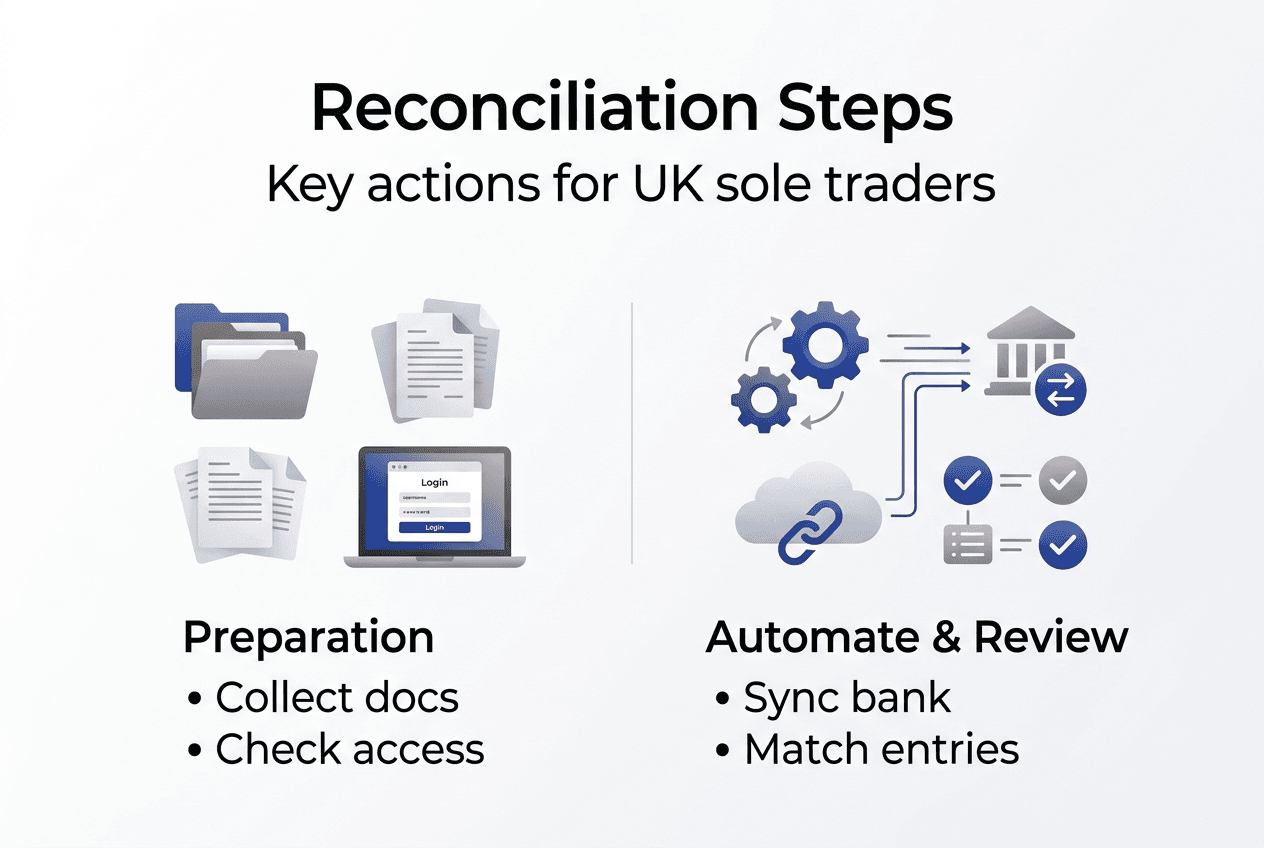
Timing matters significantly in reconciliation success. Schedule dedicated time monthly or at minimum quarterly to perform reconciliation whilst transactions remain fresh in your memory. Waiting six months means you'll struggle to remember what specific cash withdrawals or unclear payments represented, making discrepancy resolution frustratingly difficult. Block two hours in your calendar immediately after receiving bank statements, treating this time as non-negotiable business administration.
Pro Tip: Use the bank statement as your primary reference document during reconciliation, working through it line-by-line and finding each transaction in your ledger. This approach ensures you don't miss bank-initiated transactions like fees, interest, or direct debits that might not appear in your manual records.
Common challenges and how to troubleshoot them in account reconciliation
Even with systematic processes, reconciliation presents recurring obstacles that frustrate sole traders and landlords. Edge cases include timing differences, unrecorded fees, data entry errors, multiple bank accounts, agent transactions, unpaid rent, and mixed personal/business finances. Understanding these common pitfalls helps you resolve them quickly rather than abandoning reconciliation in frustration.
Timing differences represent the most frequent reconciliation challenge, occurring when you record a transaction on one date but it clears your bank account days later. Cheques exemplify this perfectly: you might record payment when posting the cheque, but it won't appear on your bank statement for three to five days. Similarly, weekend or bank holiday transactions process on the next business day, creating date mismatches. Don't adjust your ledger for legitimate timing differences; instead, note them on your reconciliation statement as outstanding items that will clear next period.
Unrecorded bank fees and charges catch many people off guard during reconciliation. Monthly account fees, overdraft charges, interest payments, and transaction fees appear on bank statements but rarely in manual ledgers unless you specifically watch for them. When your reconciliation reveals unexplained deductions, check the bank statement's transaction descriptions carefully. Record these fees as business expenses in your ledger immediately, categorising them appropriately for tax purposes.
Common error types and solutions:
- Data entry mistakes: Transposed digits, decimal point errors, duplicate entries requiring careful line-by-line review and correction
- Multiple bank accounts: Confusion about which account a transaction used, solved by reconciling each account separately with dedicated ledger sections
- Agent transactions for landlords: Letting agent fees deducted before rent remittance, requiring gross rent recording and separate expense entries
- Mixed personal/business finances: Personal transactions in business accounts contaminating records, necessitating immediate account separation and historical transaction reclassification
- Cash basis versus accrual: Recording rent when invoiced rather than received, or vice versa, requiring consistent methodology aligned with your tax election
"Quarterly reconciliation habit reduces HMRC scrutiny risk and keeps records compliant, demonstrating financial control that auditors recognise and value during investigations."
Landlords face unique reconciliation complexities when managing multiple properties through letting agents. Agents typically deduct their fees and maintenance costs before remitting net rent, but your accounting must record gross rental income and expenses separately for tax accuracy. Request detailed monthly statements from agents showing gross rent collected, itemised deductions, and net amount transferred. Record the gross rent as income, then enter each deduction as a corresponding expense, ensuring your bank reconciliation matches the net deposit amount.
Developing a consistent quarterly reconciliation routine aligned with MTD submission deadlines prevents the accumulation of errors that compound over time. Quarterly reconciliation habits keep your records current and reduce the stress of last-minute tax preparation. Mark reconciliation dates in your calendar immediately after each quarter ends: 5 July, 5 October, 5 January, and 5 April. Completing reconciliation within two weeks of quarter-end ensures you submit accurate MTD reports whilst transactions remain memorable.
Pro Tip: Create a reconciliation troubleshooting log documenting every discrepancy you encounter and how you resolved it. After three quarters, you'll notice patterns in your specific error types and can implement preventive measures like revised recording procedures or software automation rules.
Choosing the right account reconciliation tools and software for UK sole traders and landlords
Selecting appropriate reconciliation software dramatically affects how much time you spend on bookkeeping versus growing your business. Recommended tools with reconciliation include Xero, QuickBooks, FreeAgent, Sage, RentalBux, Hammock, Acxite, and IRIS, each offering different feature sets and pricing models suited to varying business complexities. Understanding the distinction between full accounting suites and bridging software helps you choose the right solution.
Full accounting software packages provide comprehensive bookkeeping functionality including invoicing, expense tracking, payroll, VAT calculations, and of course, bank reconciliation with automated feeds. These platforms suit sole traders with substantial transaction volumes, multiple income streams, or employees requiring payroll processing. The automation capabilities justify the monthly subscription costs, typically ranging from £10 to £30 monthly depending on features. Full accounting software offers automation and scalability that grows with your business, handling increasing complexity without requiring platform changes.
Bridging software represents a lighter-weight alternative connecting spreadsheets or simple record-keeping systems to HMRC's MTD submission requirements. If you prefer maintaining financial records in Excel or Google Sheets, bridging software extracts data from your spreadsheets, formats it correctly, and submits quarterly reports digitally to HMRC. This approach works well for spreadsheet users who find full accounting software overwhelming or unnecessary for their straightforward finances. Bridging software typically costs less, often offering free tiers for basic submissions.
| Software Type | Best For | Key Features | Typical Cost |
|---|---|---|---|
| Full accounting (Xero, QuickBooks) | High transaction volume, multiple properties, employees | Automated bank feeds, invoicing, payroll, comprehensive reporting | £15-£30/month |
| Bridging software (VoxaMTD, Acxite) | Spreadsheet users, simple finances, single property landlords | MTD submission, basic reconciliation, bank import | Free to £10/month |
| Specialist landlord (RentalBux, Hammock) | Multiple property portfolios, agent management | Property-specific tracking, tenant management, rent collection | £10-£25/month |
Free versus paid tools present a genuine dilemma for cost-conscious sole traders and landlords. Free options like VoxaMTD provide essential MTD compliance, automated bank feeds, and basic reconciliation capabilities sufficient for straightforward finances. Paid software adds advanced features like multi-currency support, comprehensive reporting, accountant collaboration portals, and priority customer support. Evaluate your actual needs honestly: if you're a single-property landlord with 20 monthly transactions, free software handles everything perfectly. Conversely, managing five properties with 200+ monthly transactions justifies paying for automation that saves hours monthly.
Key selection factors:
- Transaction volume: Higher volumes benefit more from automation, justifying paid software investment
- Property count: Multiple properties require sophisticated tracking and reporting capabilities
- Growth plans: Scalable software prevents platform switching headaches as your business expands
- Technical comfort: User-friendly interfaces matter more if you're not tech-savvy
- Accountant integration: Platforms offering accountant access simplify professional review and tax preparation
- MTD compatibility: Non-negotiable requirement for legal compliance with HMRC digital record-keeping rules
Pro Tip: Start with free MTD reconciliation tools to learn reconciliation fundamentals and understand your actual needs before committing to paid subscriptions. You can always upgrade later once you've identified specific features worth paying for, and most platforms offer free trials letting you test before buying.
Find the right MTD software to simplify your reconciliation
Navigating the crowded MTD software market feels overwhelming when you're focused on running your business rather than evaluating technology platforms. VoxaMTD eliminates this complexity by offering free MTD software specifically designed for UK sole traders and landlords who need straightforward compliance without unnecessary bells and whistles. The platform connects securely to your UK bank accounts through open banking, automatically importing transactions and categorising expenses using intelligent AI that learns your spending patterns.
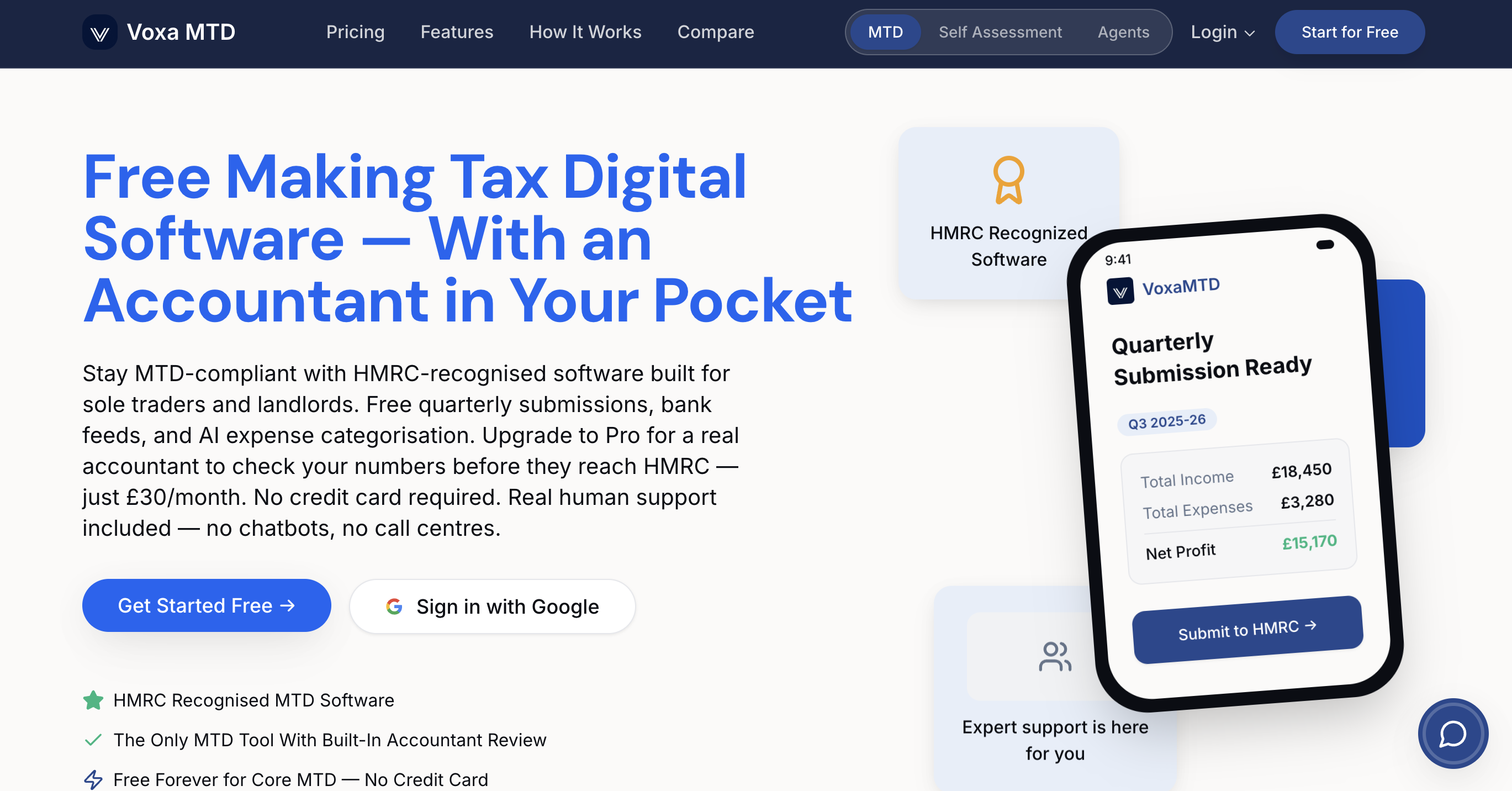
What sets VoxaMTD apart is its focus on simplicity without sacrificing compliance. The software handles quarterly MTD submissions automatically, tracks income and expenses across multiple properties or income streams, and provides clear reconciliation dashboards showing exactly where your accounts stand. You'll spend minutes rather than hours on bookkeeping each month, with the confidence that your records meet HMRC's digital requirements. The MTD software for sole traders and landlords includes optional accountant review services, letting professionals verify your submissions before filing for added peace of mind during tax season.
Frequently asked questions
How often should sole traders and landlords perform account reconciliation?
Perform reconciliation monthly to build strong financial habits and catch errors whilst transactions remain fresh in your memory. Monthly reconciliation takes 30 to 60 minutes versus several hours quarterly, making it less daunting and more manageable. At minimum, reconcile quarterly to align with MTD submission deadlines, completing reconciliation at least one week before the 5th of the month following each quarter end.
Can I use spreadsheets for account reconciliation under Making Tax Digital rules?
Spreadsheets alone don't meet MTD digital record-keeping requirements because they lack the direct HMRC submission capability mandated by regulations. However, bridging software connects your spreadsheets to MTD-compliant platforms, extracting data and formatting it correctly for quarterly submissions. This hybrid approach lets you maintain familiar spreadsheet workflows whilst satisfying legal compliance obligations.
Is it necessary to have a separate business bank account for reconciliation?
Separate business bank accounts aren't legally required for sole traders but prove essential for accurate reconciliation and tax compliance. Mixed personal and business transactions create confusion during reconciliation, increase error rates substantially, and complicate expense claims during tax preparation. Opening a dedicated business current account costs nothing with most UK banks and immediately clarifies which transactions qualify as business expenses, saving hours during reconciliation and reducing HMRC query risk.
What happens if I discover errors during reconciliation after submitting my MTD report?
Discovering errors after MTD submission requires correcting your records immediately and noting the adjustments for the next quarterly report. HMRC expects you to correct errors in the period you discover them rather than amending previous submissions, unless the error exceeds £10,000 or represents fraud. Keep detailed notes explaining the error's nature and correction method, as this documentation protects you during potential HMRC reviews and demonstrates your commitment to accurate record-keeping.
Do landlords reconcile differently than sole traders?
Landlords face unique reconciliation challenges including agent fee deductions, maintenance cost timing, tenant deposit handling, and property-specific expense allocation across multiple properties. The fundamental reconciliation process remains identical, but landlords must track gross rental income separately from net receipts, categorise expenses by property for tax calculations, and manage timing differences when agents remit funds monthly in arrears. Property-specific software or detailed spreadsheet tabs help maintain clarity across multiple rental properties.