

TL;DR:
- Making Tax Digital for income above £50,000 starts in April 2026, requiring quarterly digital updates.
- Entrepreneurs must choose HMRC-recognised software and prepare digital records early to stay compliant.
- Consistent, weekly record-keeping is key; rushing at deadlines increases errors and delays.
April 2026 is arriving faster than most sole traders and landlords realise, and Making Tax Digital (MTD) is no longer optional. From this April, anyone earning above £50,000 from self-employment or property rental must file quarterly digital updates directly with HMRC. Many people are caught off guard, unsure which software to use, how often to submit, or whether they even qualify. The good news is that filing fast and staying compliant does not require expensive accountants or complicated software. This guide walks you through exactly what you need, step by step, to get compliant quickly and affordably.
Table of Contents
- Who must file fast for Making Tax Digital?
- What you need: Tools and software for the fastest MTD submissions
- Step-by-step: Fastest way to prepare and submit MTD returns
- Avoid common mistakes and delays
- Our perspective: Why speed isn't everything with Making Tax Digital
- Fast-track your MTD compliance with VoxaMTD
- Frequently asked questions
Key Takeaways
| Point | Details |
|---|---|
| Eligibility clarity | Know which income types trigger MTD obligations and avoid accidental non-compliance. |
| Choose efficient tools | Pick HMRC-recognised, sometimes free software for fast, smooth submissions. |
| Follow a simple process | Step-by-step workflows cut down filing time and errors. |
| Watch for pitfalls | Avoid missed deadlines by understanding how multiple incomes affect submissions. |
| Simplicity over speed | Regular, accurate records are more valuable than rushing at the last minute. |
Who must file fast for Making Tax Digital?
Before you can file fast, you need to confirm if and when MTD applies to you. Not everyone is in scope, and misidentifying your eligibility can lead to missed deadlines, unnecessary penalties, or wasted effort setting up the wrong systems.
MTD for Income Tax Self Assessment (ITSA) applies to individuals whose qualifying income exceeds the relevant threshold. Qualifying income is calculated on a gross basis, meaning before any expenses are deducted. It covers earnings from:
- All UK self-employment trades (freelancing, contracting, running a business)
- UK property rental income
- Overseas property rental income
What does not count towards your qualifying income threshold includes PAYE wages, pension income, dividends, and savings interest. So if you earn £60,000 from a salaried job but only £20,000 from a rental property, you are not yet in scope for April 2026.
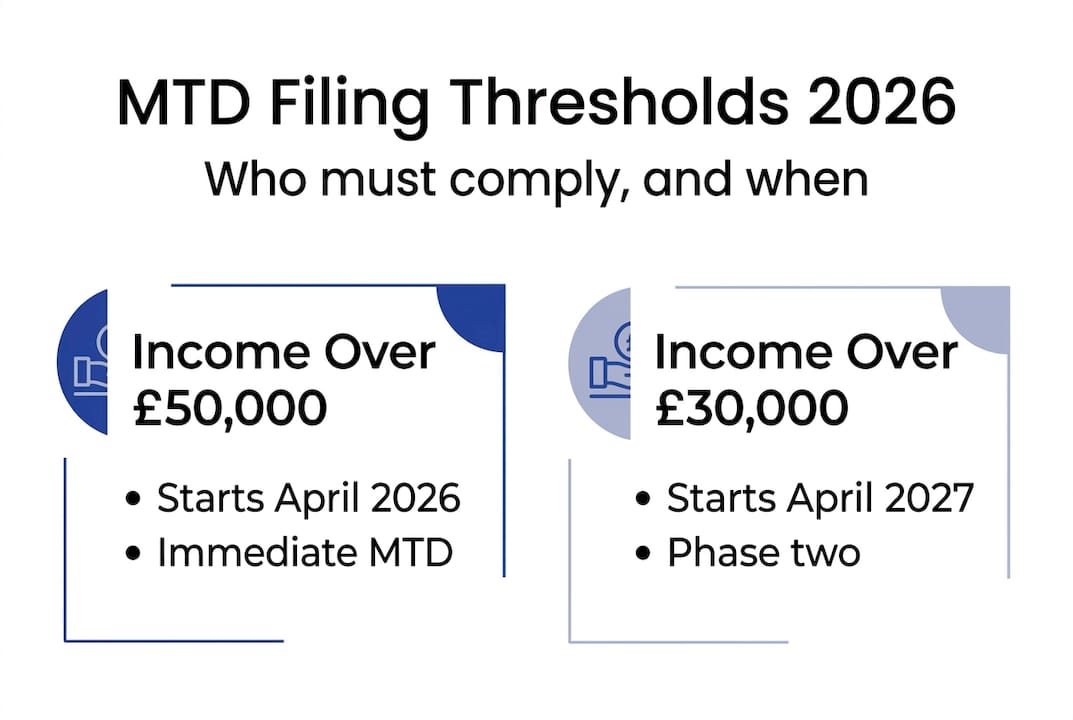
The threshold structure works in phases. From April 2026, those with qualifying income over £50,000 must comply. From April 2027, the threshold drops to £30,000. A further extension to £20,000 is planned but not yet confirmed with a firm date.
One important detail many people overlook: if you have both self-employment income and rental income, you must file separate quarterly updates for each source. As qualifying income rules confirm, this can mean up to eight quarterly submissions per year. That is a significant administrative commitment, and it makes choosing the right software even more critical.

Here is a quick summary of how qualifying income is assessed:
| Income type | Counts towards MTD threshold? |
|---|---|
| Self-employment (all trades) | Yes |
| UK property rental | Yes |
| Overseas property rental | Yes |
| PAYE employment wages | No |
| Pension income | No |
| Dividends | No |
| Savings interest | No |
If you are a landlord with multiple properties, all rental income is aggregated into a single figure. You do not file separately per property. However, you do file separately for rental income versus self-employment income. For more on managing rental obligations, see these rental income tax tips for 2026.
What you need: Tools and software for the fastest MTD submissions
Once you know you need to file, the next step is to choose the fastest tools for the job. The right software makes the difference between a stressful scramble and a smooth quarterly routine.
HMRC maintains a list of recognised software, and the market has expanded significantly. Here is a comparison of the most relevant options:
| Software | Best for | Cost |
|---|---|---|
| Zoho Books | Sole traders under £35k | Free |
| FreeAgent | NatWest/RBS customers | Free (with account) |
| Clear Books | Simple self-employment | Free tier available |
| Pandle | Freelancers and sole traders | Free tier available |
| RentalBux | Landlords | Free until 2026/28 |
| Hammock | Landlords | From £8/month |
| LandlordOS | Landlords | From £9/month |
| Landlord Vision | Property portfolios | From £20/month |
| Xero | Growing businesses | From £7/month |
| QuickBooks | Sole traders and small firms | From £12/month |
As HMRC-recognised software options confirm, free bridging tools are also available for those who prefer to keep their spreadsheets and simply connect them to an HMRC-compliant submission layer. Bridging software reads your spreadsheet data and formats it correctly for HMRC. It is a practical middle ground if you are not ready to switch platforms entirely.
For landlords managing multiple properties, investing in landlord-specific software pays off quickly. General accounting tools often lack features like mortgage interest tracking and rental-specific expense categories. You can explore digital bookkeeping for landlords to understand what a purpose-built solution looks like, or visit free landlord MTD software to see what is available at no cost.
Pro Tip: If you are a sole trader with straightforward income and expenses, start with a free option like Zoho Books or FreeAgent. You can always upgrade later. The priority is getting your digital records in order before the April 2026 deadline.
Step-by-step: Fastest way to prepare and submit MTD returns
Equipped with software, you are ready to move swiftly through the process. Here is the step-by-step approach that minimises delays and errors.
- Create your HMRC online account and ensure you are enrolled for Self Assessment. You will need your Unique Taxpayer Reference (UTR) and National Insurance number ready.
- Sign up for MTD for ITSA through your chosen software or directly via HMRC. Note that once you sign up, your old Self Assessment process is replaced. Do not sign up mid-tax year without understanding the transition.
- Connect your bank feeds within your software. Automated bank feeds pull transactions directly into your records, saving hours of manual data entry and reducing errors.
- Categorise income and expenses as they come in, not at the end of each quarter. Spending ten minutes a week is far faster than spending a full day every three months.
- Review your quarterly update before submitting. Check that income figures match your bank statements and that expenses are correctly categorised.
- Submit your quarterly update to HMRC through your software. You will receive a confirmation. Keep this for your records.
- File your End of Period Statement (EOPS) and Final Declaration at the end of the tax year. This replaces the traditional Self Assessment tax return.
As efficient MTD filing guidance confirms, software costs are an allowable business expense, so you can deduct them from your taxable income. If you use an accountant, they can submit on your behalf via agent access, which is useful if you want professional oversight without losing speed.
For a deeper look at how the quarterly cycle works, the quarterly MTD submissions guide covers deadlines and what each update must include.
Pro Tip: Use the HMRC pilot programme to test your setup before the mandatory deadline. It lets you submit real data in a live environment, so you can iron out any issues without the pressure of a hard deadline.
Avoid common mistakes and delays
Even with a fast process, it is easy to trip up. The following pitfalls catch out even experienced sole traders and landlords.
Common mistakes to avoid:
- Assuming PAYE income counts towards your qualifying income threshold
- Signing up for MTD mid-year without understanding how it affects your existing Self Assessment filing
- Mixing up income categories, especially if you have both rental and self-employment income
- Relying on manual records or paper receipts instead of digital records
- Missing a quarterly deadline because you left data entry too late
One of the most significant risks for dual-income individuals is the volume of submissions required. Up to eight quarterly updates per year are required if you have both self-employment and rental income, and missing even one can trigger a penalty.
"ICAEW urges focus on digital records over quarterly submissions, noting that the admin burden and complexity of MTD remain genuine concerns for small businesses and landlords."
The MTD pros, cons, and adoption concerns from ICAEW highlight that while MTD offers real-time financial insights, the quarterly complexity is a genuine burden. Critics also point to low HMRC sign-up rates as evidence of widespread resistance. However, low sign-up rates do not reduce your legal obligation. HMRC enforcement will increase, and those who have not prepared will face penalties.
The safest approach is to treat digital record-keeping as a daily or weekly habit, not a quarterly task. Software with automated bank feeds and AI categorisation removes most of the manual work. Explore why HMRC requires digital tax to understand the broader compliance picture, and review quarterly submissions explained for a clear breakdown of what each update must contain.
Our perspective: Why speed isn't everything with Making Tax Digital
That covers the practical fast-track, but here is what really matters for long-term compliance.
The phrase "file fast" can be misleading. The traders and landlords who will find MTD easiest are not the ones who rush through submissions at the last minute. They are the ones who have built a simple, consistent routine throughout the year. Filing fast at the deadline is actually a sign that something has gone wrong earlier in the process.
Most mistakes we see come from rushing, not from a lack of tools. Someone categorises a personal expense as a business one because they are in a hurry. Someone submits the wrong income figure because they did not reconcile their bank feed. These errors are not software failures. They are habit failures.
The uncomfortable truth is that MTD rewards boring consistency. Ten minutes a week updating your records beats a frantic four-hour session every quarter. Simplicity beats sophistication. A free tool you actually use beats premium software you ignore.
As real-time tax reporting becomes the new normal, the traders and landlords who thrive will be those who treat their finances like a weekly check-in, not an annual event. HMRC's long-term direction is clear. The earlier you build that habit, the easier everything becomes.
Fast-track your MTD compliance with VoxaMTD
If you want the fastest, simplest route to MTD compliance, VoxaMTD is built exactly for this.
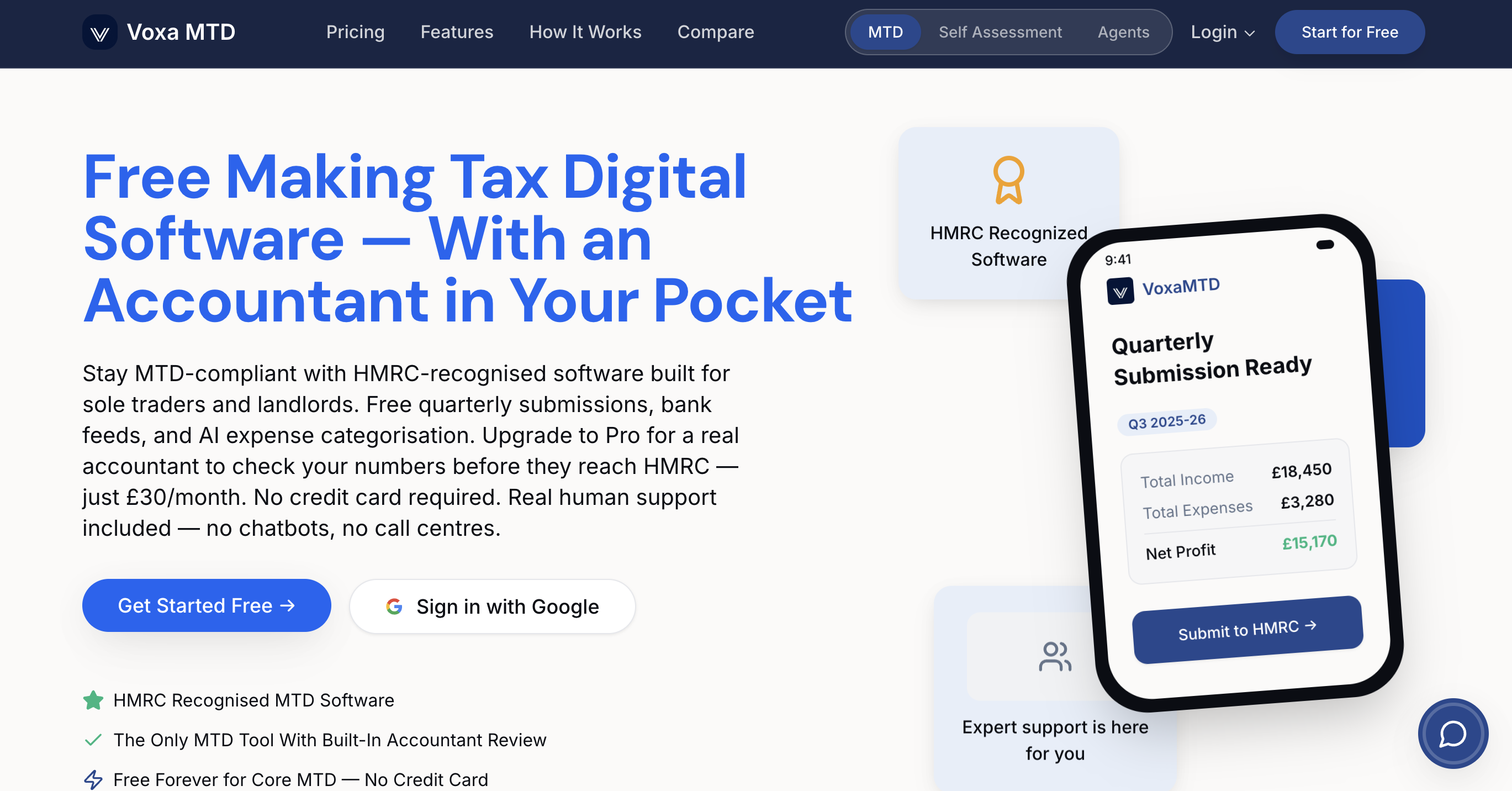
VoxaMTD is a free, HMRC-recognised platform for UK sole traders and landlords, handling quarterly submissions directly to HMRC via production API. There are no monthly fees for the core product, no complicated setup, and no need to switch accountants. Free MTD software for landlords includes a dedicated dashboard with Section 24 mortgage interest calculations and capital allowances tracking. For sole traders, MTD software for sole traders covers mileage tracking, home office calculators, and payments on account projections. If you want human support, the Professional tier at £30/month adds a dedicated partner accountant. Getting started takes minutes, not days.
Frequently asked questions
What income counts for Making Tax Digital submissions?
Qualifying income includes gross earnings from UK self-employment and property rental, but not PAYE wages, pensions, or dividends.
Can I use spreadsheets for MTD if I file fast?
Yes, you can use spreadsheet bridging software to comply, provided the tool is HMRC-recognised. Free bridging software is available and accepted by HMRC.
How many submissions are required each year?
You must file separate quarterly updates for each source of qualifying income, with up to eight per year if you are both a sole trader and a landlord.
Are free MTD software options really compliant?
Yes. Several free HMRC-recognised tools including Zoho Books, FreeAgent, Clear Books, RentalBux, and Pandle are fully compliant for submitting MTD returns.