
Filing a tax return has never been straightforward, but the shift to Making Tax Digital (MTD) has added a new layer of complexity for UK sole traders and landlords. From April 2026, HMRC is mandating digital record-keeping and quarterly submissions for those earning above £50,000, with further phases to follow. If you are feeling uncertain about what this means for your compliance, you are not alone. This guide walks you through every step, from registration and record-keeping to choosing the right software and hitting every deadline, so you can file with confidence and avoid costly penalties.
Table of Contents
- What you need to submit your tax return digitally
- Gather and maintain your records for digital submission
- Choose compatible software and tools for MTD compliance
- Step-by-step: Submit your tax return and quarterly updates
- Avoid mistakes and handle exemptions: Practical tips
- Digital solutions to simplify your tax return submission
- Frequently asked questions
Key Takeaways
| Point | Details |
|---|---|
| Start early and register | Register for Self Assessment by October and begin digital record-keeping ahead of MTD phase-in dates. |
| Choose compatible software | Select MTD-friendly tools to automate data entry and simplify quarterly updates and final return submissions. |
| Submit quarterly and final updates | Follow strict reporting deadlines for quarterly updates and the annual declaration to avoid penalties. |
| Check exemptions and avoid mistakes | Some traders and landlords can claim digital exclusion; always verify details to prevent delays or fines. |
| Keep complete records | Maintain organised digital and physical records for at least five years after submission for compliance. |
What you need to submit your tax return digitally
Before you can file anything, you need to be registered for Self Assessment (SA). The registration deadline is 5 October after the end of the tax year in which you started trading or receiving rental income. Miss it, and you risk a penalty before you have even begun. Reassuringly, 97% of sole traders and landlords now file online, which means the infrastructure is well established.
Making Tax Digital for Income Tax Self Assessment (MTD for ITSA) phases in from 6 April 2026 based on qualifying gross income. Those earning above £50,000 from self-employment or property are in the first wave. Earnings above £30,000 follow in April 2027. Understanding where you sit in this timeline is essential. Our UK tax digitisation guide explains the full phasing in plain terms.
Here is a quick overview of the key requirements and deadlines:
| Requirement | Detail |
|---|---|
| SA registration deadline | 5 October after tax year end |
| Online filing deadline | 31 January |
| Paper filing deadline | 31 October |
| MTD phase 1 threshold | £50,000+ gross income (April 2026) |
| MTD phase 2 threshold | £30,000+ gross income (April 2027) |
| Software requirement | HMRC-compatible MTD software |
Key eligibility points to keep in mind:
- You must register for SA if you are self-employed or receive rental income above £1,000
- MTD applies separately to each trade or property business you run
- Partnerships have their own MTD timeline, separate from sole traders
- Check the digital tax deadlines that apply to your specific situation
- Refer to MTD terminology explained if any of the official language feels confusing
The SA100 main form guidance on GOV.UK is the definitive reference for what information you need to provide.
Gather and maintain your records for digital submission
Good record-keeping is the backbone of any successful tax return, and under MTD it becomes a legal requirement rather than just good practice. MTD requires digital records in compatible software, with income and expenses maintained separately for each business or property you operate. A single spreadsheet mixing your freelance income with your rental receipts will not meet the standard.

For sole traders, this means logging every invoice raised, every business expense paid, and every mileage claim made throughout the year. For landlords, it means recording rental income received, mortgage interest paid, maintenance costs, and any capital expenditure on the property. Our sole trader bookkeeping guide and landlord digital submission guide go deeper on each scenario.
Here are the core record-keeping rules to follow:
- Keep all records for at least five years after the 31 January submission deadline
- Maintain separate digital records for each trade or property business
- Record income and expenditure as they occur, not in a year-end rush
- Quarterly updates are cumulative, so errors can be corrected in later updates
- Scan and store receipts digitally rather than keeping paper copies
Pro Tip: Connect your business bank account to your MTD software using open banking. This pulls transactions in automatically, cutting the time you spend on manual data entry to almost nothing and reducing the risk of missed entries.
Choose compatible software and tools for MTD compliance
Not all accounting software qualifies for MTD. HMRC maintains a list of MTD-compatible software that has been tested and approved for direct submission. Using software that is not on this list means your quarterly updates will not reach HMRC, regardless of how accurate your figures are.
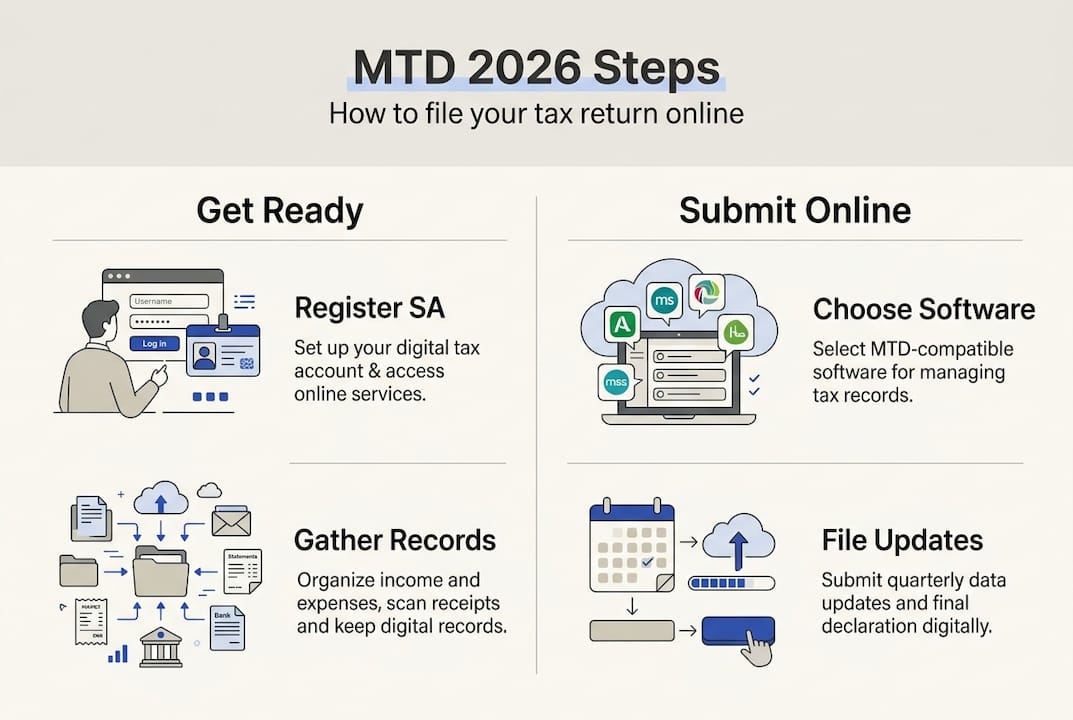
Here is a comparison of the main software categories available:
| Software type | Best for | Cost | Key feature |
|---|---|---|---|
| Full MTD platforms | Sole traders and landlords | Free to £40/month | Direct HMRC submission, automation |
| Bridging software | Spreadsheet users | Low cost | Converts spreadsheet data for MTD |
| Accountant-managed | Complex affairs | Varies | Agent submits on your behalf |
| HMRC free tools | Very simple cases | Free | Basic functionality only |
Points to consider when choosing your software:
- Sign up and connect your software to HMRC well before the April 2026 deadline
- Look for automatic bank import features to reduce manual entry
- AI-powered categorisation saves significant time on expense coding
- Accountants can submit on your behalf through an agent portal
- Free options exist; you do not need to spend heavily to be compliant
Pro Tip: Do not wait until March 2026 to choose your software. HMRC's systems will be under pressure as the deadline approaches. Set up your account, connect your bank, and run a test quarter now so you are fully comfortable before it counts.
Our MTD reporting process guide covers how to get the most from your chosen platform. Accountants looking to manage multiple clients can explore MTD resources for accountants for agent-specific tools.
Step-by-step: Submit your tax return and quarterly updates
Under MTD for ITSA, the annual tax return is replaced by a combination of quarterly updates and a final declaration. Here is how the process works from start to finish:
- Register for MTD with HMRC and link your compatible software to your Government Gateway account.
- Record income and expenses throughout the quarter using your chosen software.
- Submit your quarterly update by the relevant deadline. Quarterly updates are due on 7 August, 7 November, 7 February, and 7 May each year.
- Review cumulative figures after each submission. Because updates are cumulative, you can correct earlier errors in the next quarter.
- Complete your final declaration by 31 January following the end of the tax year. This replaces the traditional SA return and confirms your total income, reliefs, and allowances.
- Pay your tax bill. Payments are due on 31 January for the balance and first payment on account, and 31 July for the second payment on account.
- Retain all records for at least five years after the 31 January deadline.
Here is a summary of the key dates:
| Milestone | Deadline |
|---|---|
| Quarter 1 update | 7 August |
| Quarter 2 update | 7 November |
| Quarter 3 update | 7 February |
| Quarter 4 update | 7 May |
| Final declaration | 31 January |
| Balance and 1st payment on account | 31 January |
| 2nd payment on account | 31 July |
Our guide to streamlining MTD submissions offers practical tips for making each quarterly update as quick as possible.
Avoid mistakes and handle exemptions: Practical tips
Even with the best intentions, errors happen. The good news is that HMRC has built a soft-landing period into the rollout. Exemptions apply for digital exclusion due to age, disability, or lack of internet access, and the soft-landing period means no penalties for late quarterly updates during the 2026/27 transition year. However, this grace period will not last indefinitely.
From 2027/28 onwards, the penalty points system kicks in fully. Accumulate four late submission points and you face a £200 fine. Miss payment deadlines and interest accrues on top. The stakes are real.
"The soft-landing period is a window to get your systems right, not a reason to delay. Use 2026/27 to build habits that will protect you from penalties in every year that follows."
Common mistakes to avoid:
- Missing the 5 October SA registration deadline if you are newly self-employed
- Mixing personal and business transactions in the same account or record
- Failing to keep separate records for each trade or property business
- Submitting figures without checking them against bank statements
- Ignoring the trading allowance (£1,000) if your gross income is below this threshold
- Assuming VAT registration and MTD for VAT automatically covers MTD for ITSA (they are separate obligations)
If you believe you qualify for a digital exclusion exemption, you must apply to HMRC directly. Do not simply opt out without approval. Our MTD exemption terminology article explains the application process and what qualifies. Full MTD exemption rules are published by HMRC for reference.
Digital solutions to simplify your tax return submission
Navigating MTD compliance is far easier when you have the right tools working for you. VoxaMTD is a free, HMRC-recognised platform built specifically for UK sole traders and landlords who want to meet their MTD obligations without the stress or the accountancy fees.
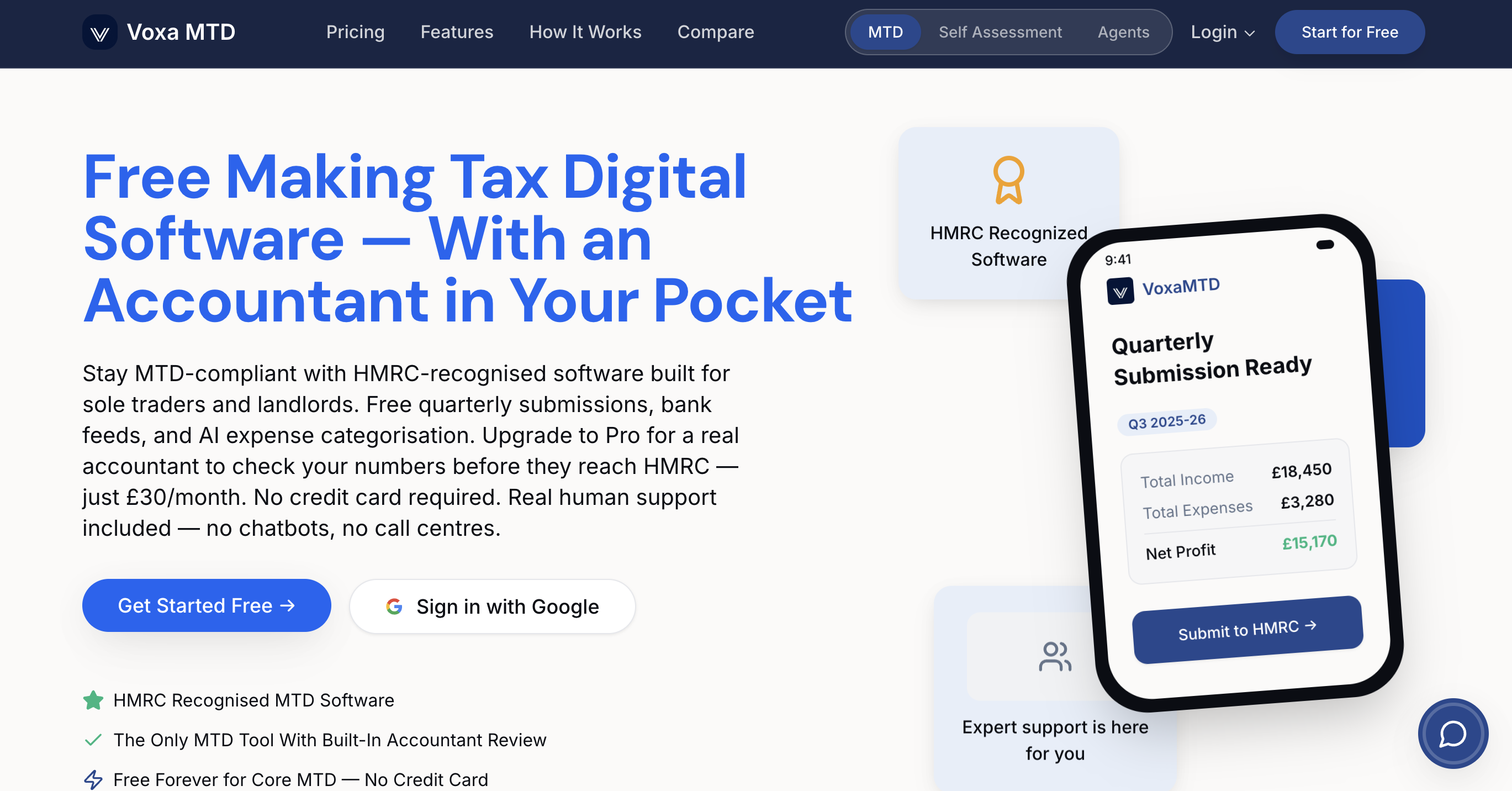
With automatic bank transaction imports via open banking, AI-powered expense categorisation, and a receipt scanner that reads your receipts instantly, VoxaMTD handles the heavy lifting so you can focus on running your business or managing your properties. The platform submits quarterly updates and final declarations directly to HMRC. Landlords get a dedicated dashboard with a Section 24 calculator, while sole traders benefit from mileage tracking and payments on account projections. Explore MTD software for sole traders or MTD software for landlords to get started for free, or visit VoxaMTD to see the full range of plans, including access to a real human accountant from just £30 per month.
Frequently asked questions
When is the deadline for submitting my UK tax return online?
The online Self Assessment deadline is 31 January following the end of the tax year; paper returns must be submitted by 31 October.
Do I need special software to comply with MTD from April 2026?
Yes, HMRC requires digital record-keeping using MTD-compatible software; both free and paid options are available, so cost is not a barrier to compliance.
What are the quarterly update deadlines under MTD ITSA?
Quarterly updates are due on 7 August, 7 November, 7 February, and 7 May each year, covering each quarter of the tax year.
Are there exemptions for digital tax submission requirements?
Yes, exemptions for digital exclusion apply where age, disability, or lack of internet access makes digital filing unreasonable; you must apply to HMRC to be granted one.
How long should I keep my tax records after submission?
You must keep records for at least five years after the 31 January filing deadline for your Self Assessment tax return.