

TL;DR:
- UK sole traders must digitally track all income and expenses for accurate, compliant tax reporting.
- Using approved software or spreadsheets with bridging tools is essential for Making Tax Digital compliance.
- Good recordkeeping empowers better business decisions and reduces tax penalties and errors.
Tracking your self-employed income is not simply a matter of saving receipts in a shoebox. For UK sole traders, it is the foundation of accurate tax returns, manageable finances, and full compliance with Making Tax Digital for ITSA rules that are reshaping how self-employed people report to HMRC. Get it right and you pay the correct tax, claim every allowance you are entitled to, and avoid costly penalties. Get it wrong and the consequences are more serious than most people realise.
Table of Contents
- What is self-employed income tracking and why does it matter?
- Essential records: What you must track as a sole trader
- Digital tools and methods for compliant tracking
- Best practices and troubleshooting common problems
- Our perspective: Digital tracking is your business safety net
- Take the next step: Make compliance easy with VoxaMTD
- Frequently asked questions
Key Takeaways
| Point | Details |
|---|---|
| Digital records required | Self-employed people must keep digital business income and expense records to stay compliant with HMRC. |
| Pick the right method | Choose software or spreadsheets with bridging tools that are compatible with Making Tax Digital. |
| Accurate tracking reduces risk | Good recordkeeping lowers your chance of penalties and makes tax returns easier. |
| Best habits save stress | Using a dedicated business account and reviewing records regularly gives you control before HMRC comes calling. |
What is self-employed income tracking and why does it matter?
Self-employed income tracking means recording every pound that comes into your business and every allowable cost that goes out. That sounds simple enough, but the details matter enormously. Under MTD for ITSA, sole traders with qualifying income above £50,000 from April 2026 must keep digital records and submit quarterly updates directly to HMRC using compatible software. Paper records alone will no longer be acceptable.
What exactly needs tracking? At a minimum, your records should cover:
- All sales, fees, and business receipts
- Allowable business expenses such as travel, equipment, and professional fees
- Bank interest or other trading income
- Any property income if relevant to your self-assessment
- VAT-related transactions if you are registered
The stakes for getting this wrong are real. The Self Assessment tax gap stands at £5 billion, with an 18.5% error rate that HMRC is targeting through digital accuracy. Poor recordkeeping is one of the biggest drivers of that gap, and HMRC is not shy about issuing penalties when records are incomplete or inaccurate.
"Digital records are not a bureaucratic hurdle. They are your clearest picture of what your business actually earns and spends."
Beyond penalties, poor tracking means you are likely to miss allowable expenses. Every unclaimed expense is money you pay in tax unnecessarily. Understanding why HMRC requires digital tax records helps you see this not as red tape, but as a framework that genuinely protects your bottom line.
Essential records: What you must track as a sole trader
Knowing you need to track things is one thing. Knowing exactly what to track is another. HMRC is clear that records must include sales, income, purchases, and expenses, and they must be sufficient to support an accurate taxable profit calculation whether you use the cash basis or accruals method.
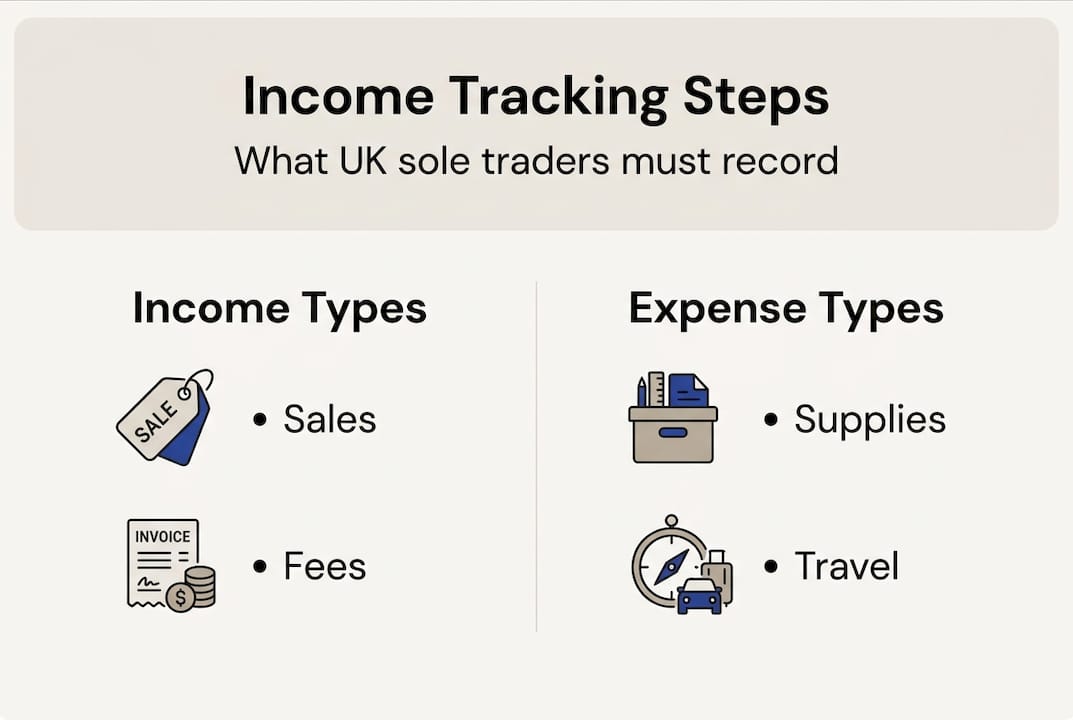
Here is a practical breakdown of the main categories:
| Category | What to record | Acceptable proof |
|---|---|---|
| Trading income | Sales, fees, cash takings | Invoices, receipts, bank statements |
| Allowable expenses | Office costs, travel, tools | Receipts, supplier invoices |
| Partially allowable | Home office, personal vehicle | Proportional calculations, logs |
| Property income | Rent received | Tenancy agreements, bank records |
| Excluded expenses | Personal costs, client entertaining | Not recorded as business expenses |
For most sole traders, the numbered steps below capture the practical recordkeeping routine:
- Record every payment received on the day it arrives, noting the source and amount.
- Save or photograph every receipt and invoice the moment you receive it.
- Categorise each expense correctly, using HMRC's allowable expense categories as your guide.
- Reconcile your records against your bank statements at least once a month.
- Review your income tax checklist before each quarterly submission to catch anything missed.
Edge cases trip people up more than any other area. If you own property jointly, a single record per category is required rather than separate records per owner. Similarly, if your income sits close to the VAT registration threshold, tracking turnover accurately is critical to avoid an unexpected VAT liability.
Pro Tip: Open a dedicated business bank account even if you are not legally required to. Separating business and personal finances cuts the time you spend categorising transactions by more than half, and it makes MTD regulations for sole traders far easier to follow in practice.
Digital tools and methods for compliant tracking
MTD compliance requires more than good intentions. You need a system. Under the rules, digital records using compatible software or spreadsheets with MTD bridging tools are the only accepted approaches. Paper-only records will not satisfy HMRC.
The main options break down like this:
| Option | Cost | MTD compatible | Best for |
|---|---|---|---|
| Dedicated bookkeeping software | £0 to £65/month | Yes (built-in) | Most sole traders |
| Excel or Google Sheets with bridging tool | Low to medium | Yes (via bridging) | Tech-comfortable traders |
| Paper records | Free | No | Exempt individuals only |
Here is what to look for when choosing your approach:
- HMRC recognition: The software or bridging tool must appear on HMRC's approved list.
- Quarterly submission capability: You need to send updates four times per year, not just at Self Assessment time.
- Expense categorisation: Automatic or assisted categorisation reduces errors significantly.
- Bank feed integration: Connecting your bank account directly removes manual data entry.
- Accessibility: A good mobile app means you can log income on the move, not just at your desk.
Spreadsheets with bridging tools are a cost-effective option, but they require discipline. Every row must be entered manually and the bridging software must be configured correctly to pass data to HMRC's systems. Errors in formatting or category mapping can cause submission failures that are frustrating to unpick.
Dedicated software handles the submission layer for you and usually offers prompts to keep you on track. For those following the sole trader tax compliance guide, the right software choice can turn a stressful quarterly deadline into a ten-minute task. As the digital tax trends landscape continues to shift, software that updates automatically to reflect new rules is a genuine advantage.
Digital inclusion exemptions do exist. If age, disability, or your remote location makes digital tools genuinely inaccessible, you can apply to HMRC for an exemption to continue using paper records. But these exemptions are granted cautiously and are not a workaround for those who simply prefer traditional methods.
Best practices and troubleshooting common problems
Even with the right tools in place, good habits are what keep your records clean and your submissions accurate. The most successful sole traders treat income tracking as a weekly routine, not an annual panic.
Here are the practices that make the biggest difference:
- Check your MTD threshold early: Review your 2024/25 income to confirm whether you are required to sign up before the April 2026 start date. Checking your threshold and registering via your HMRC online account in good time avoids last-minute scrambles.
- Keep finances separate: A dedicated business bank account is not just helpful, it is close to essential for clean records.
- Double-check categories: Miscategorising a personal expense as a business cost is one of the most common errors. When in doubt, check HMRC's guidance before filing.
- Log mileage as it happens: Reconstructing business travel from memory six months later is error-prone. Use a mileage log or app every time.
- Review before submitting: Spend ten minutes cross-checking your records against bank statements before each quarterly update.
Mistakes happen. If you discover an error after submission, do not panic. Most digital platforms allow you to submit a corrected entry or adjustment record. HMRC's systems are designed to accept corrections, and acting quickly is always better than waiting to see if anyone notices. Understanding MTD terminology helps you navigate correction processes with confidence rather than confusion.
Pro Tip: Set a recurring diary reminder for the week before each quarterly deadline. Reviewing records when you are calm is far more effective than rushing through them at eleven o'clock the night before submission.
Our perspective: Digital tracking is your business safety net
Most articles position digital tracking as something you do for HMRC. We think that is the wrong way to look at it entirely.
When you track income consistently, you are not just satisfying a regulator. You are building a real-time picture of your business health. You can see which clients pay promptly and which ones stretch your cash flow. You spot expense creep before it erodes your margin. You know, at any moment, roughly what your tax bill will be, which removes the anxiety that catches so many sole traders off guard in January.
The myth that tracking is just an administrative chore is exactly what makes compliance feel burdensome. Reframe it as financial intelligence and the same task takes on a completely different character. Good records let you make faster, smarter business decisions every month of the year, not just at Self Assessment time.
The sole traders who stay ahead of shifts in navigating digital tax trends are overwhelmingly those who treated MTD as an opportunity to modernise their financial habits rather than a burden imposed from above. The discipline you build now pays dividends long after any regulatory requirement is met.
Take the next step: Make compliance easy with VoxaMTD
If reading this has highlighted gaps in your current setup, VoxaMTD is built specifically to close them. It is a free, HMRC-recognised platform that handles quarterly MTD submissions directly to HMRC, with AI-powered transaction categorisation at 95% accuracy and FCA-regulated open banking through Finexer.
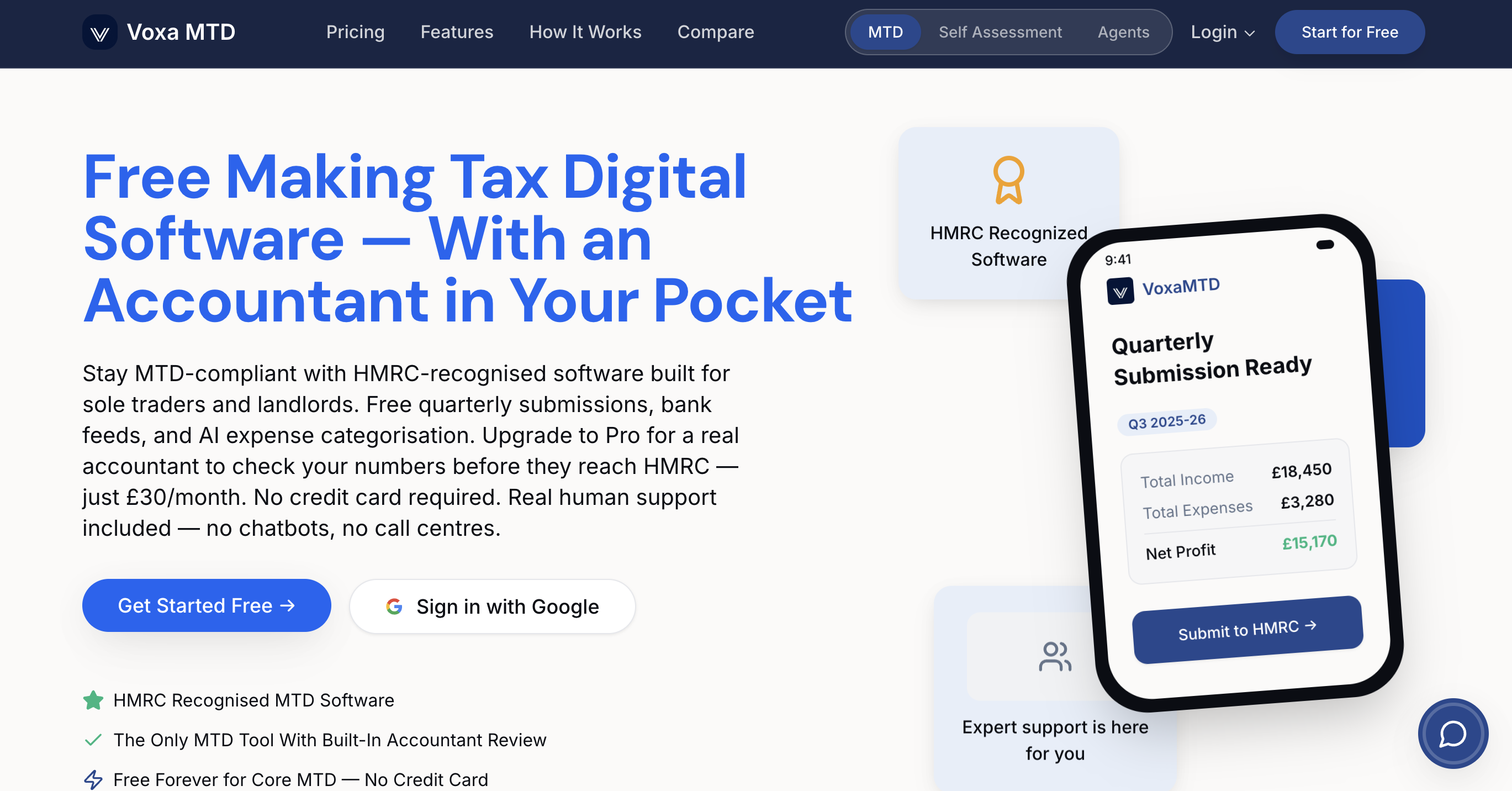
Sole traders get mileage tracking, home office calculators, and payments on account projections. The Alex AI Accountant answers your tax questions 24/7 by voice, SMS, or WhatsApp in plain English. Explore the full MTD features or, if you are a landlord, see how the free MTD software dashboard handles Section 24 calculations and annual submissions. Start for free today and make every quarterly deadline straightforward.
Frequently asked questions
What counts as income for self-employed tracking in the UK?
Income includes all payments for goods or services, sales, fees, and any property income connected to your business activity. Even cash payments and bartering arrangements must be recorded.
Do I have to keep digital records if my income is below £1,000?
If your turnover is within the £1,000 trading allowance, you are not required to register for Self Assessment or keep digital records for tax purposes.
What if I make a mistake when tracking my income?
Correct entries as soon as you spot the error. Most digital tools allow you to edit records or submit adjustment entries to fix mistakes before or after submission.
Are there any exemptions from Making Tax Digital for income tracking?
You may qualify for an exemption if digital tools are genuinely inaccessible due to age, disability, or location. You must apply to HMRC directly and demonstrate that using software is not reasonably practicable for you.